Animated subtitles in After Effects
Start with the free script: it turns your transcript into lines, karaoke, typewriter or one word at a time. CT Subs Pro does it all inside After Effects and adds tools that save time in the edit.
CT Subs script
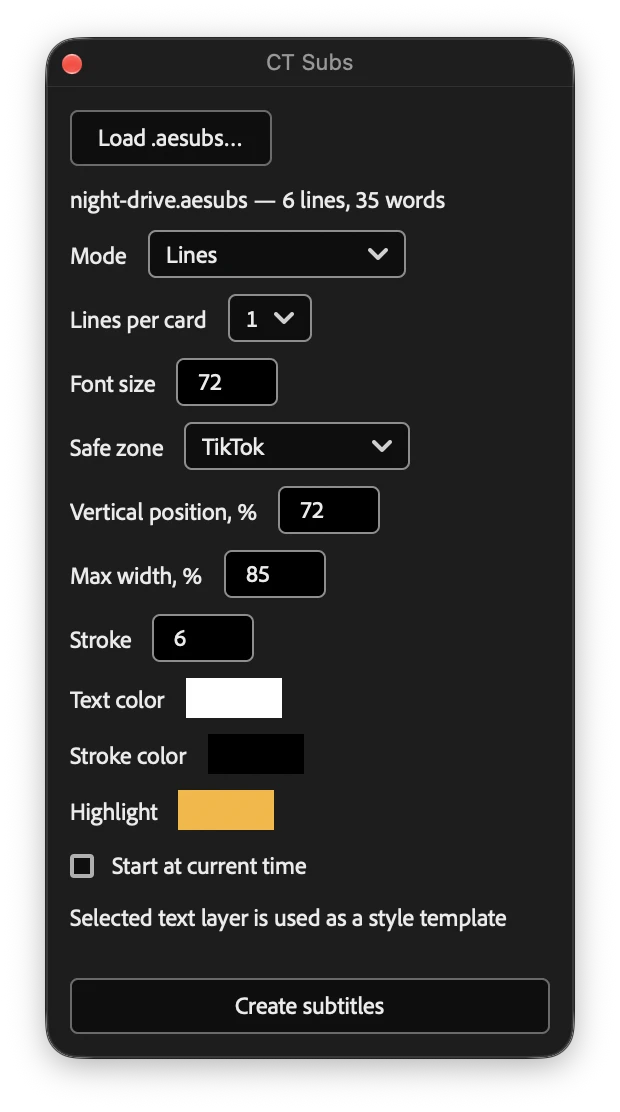
A small ScriptUI window for After Effects. Load an AE Subs file from our free transcriber, pick a mode and get editable text layers timed to the voice.
ScriptUI script · macOS and Windows · works offline
What the script can do
- Lines
- Karaoke by word
- Karaoke by letter
- Typewriter
- One word at a time
- Safe zones
- Your own style
- Wrapping and stroke
- Editable layers
3 steps
- 1Make an AE Subs file in our free transcriber
- 2Run CTSubs.jsx in After Effects
- 3Load the file, pick a mode, Create subtitles
Script styles
Each style plays here the way it animates in After Effects.
- Lines
- Karaoke by word
- Karaoke by letter
- Typewriter
- One word at a time
CT Subs Pro
A panel next to your timeline: transcribes the voiceover right in AE, builds animated word-by-word styles, highlights key words with emoji, translates text, images and the voice, cuts pauses and marks the beats.
Free account: 50 subtitle and translation generations in the panel. Pro: unlimited.
CEP panel · transcription inside AE · macOS and Windows · sign in with your account
Pro adds
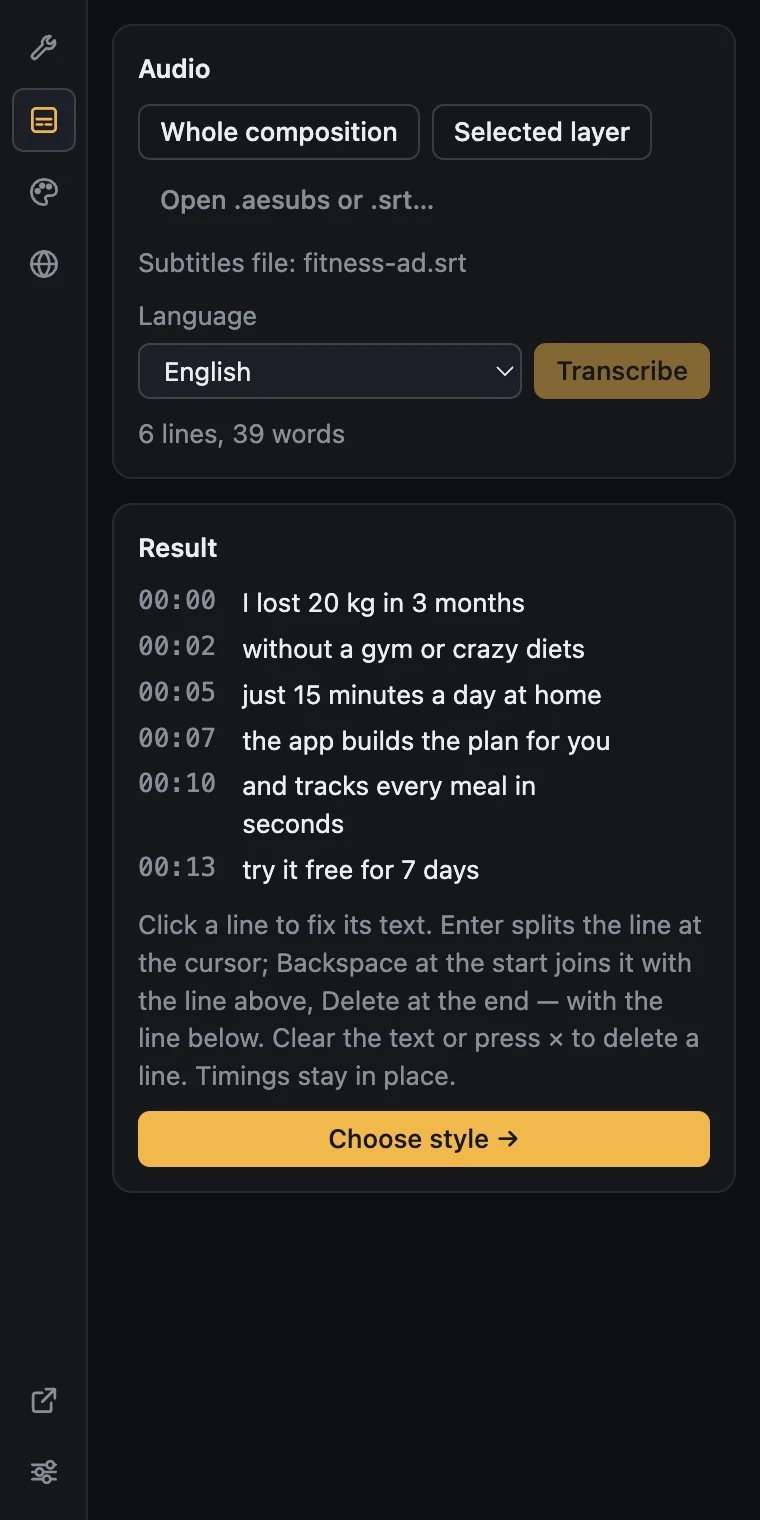
- Transcription inside AE
- Fix the text
- Text translation
- Image translation
- Voice dubbing
- Synced to the layer
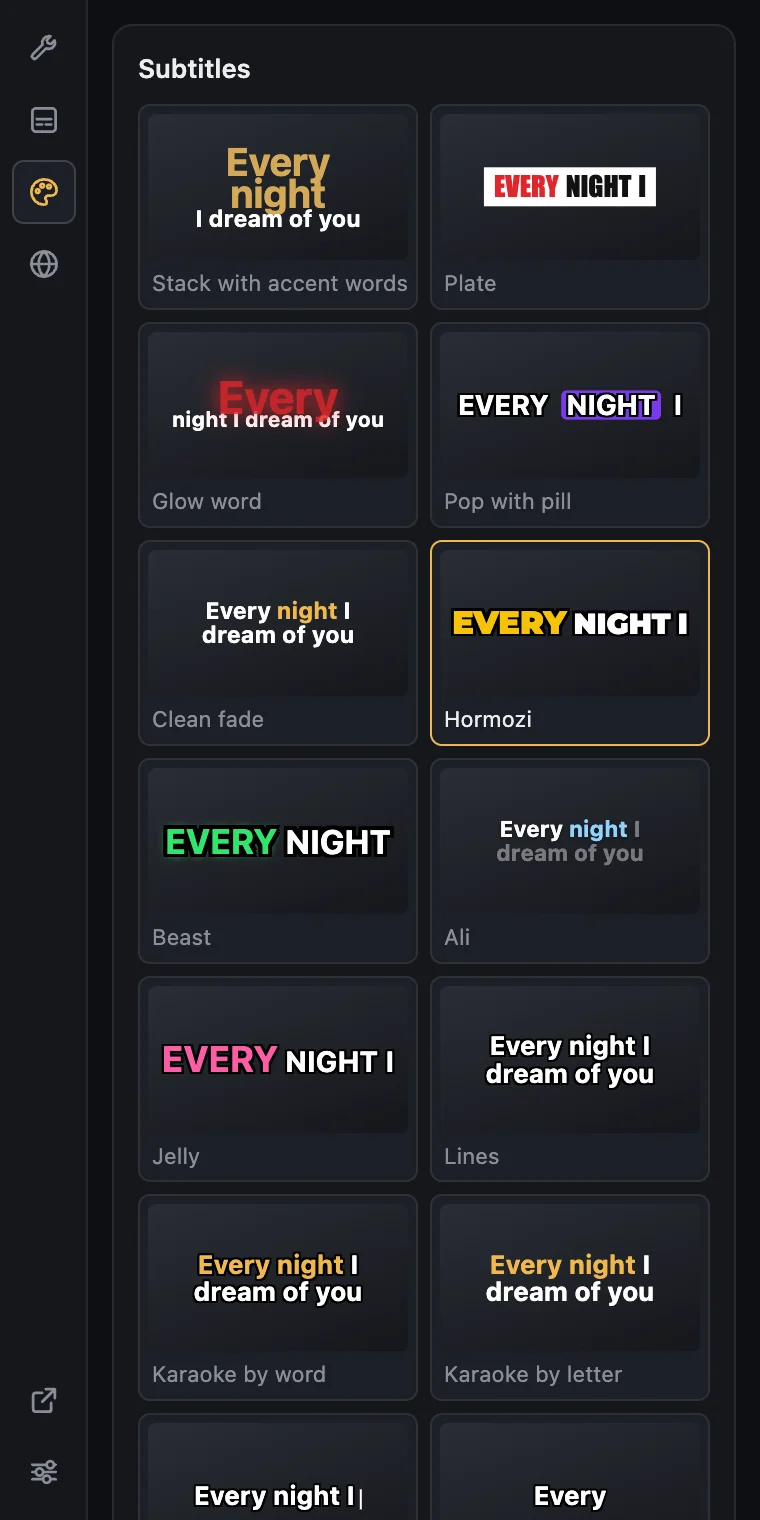
- Animated styles
- AI accents & emoji
- Cut pauses
- Beat markers
- Paste a screenshot
3 steps
- 1Select the composition or a layer, press Transcribe
- 2Fix lines if needed and pick a style
- 3Create subtitles: every word is its own layer
Pro styles
Every word is its own layer, so the animation follows the voice exactly.
- Stack with accent words
- Plate
- Glow word
- Pop with pill
- Clean fade
- Hormozi
- Beast
- Ali
- Jelly
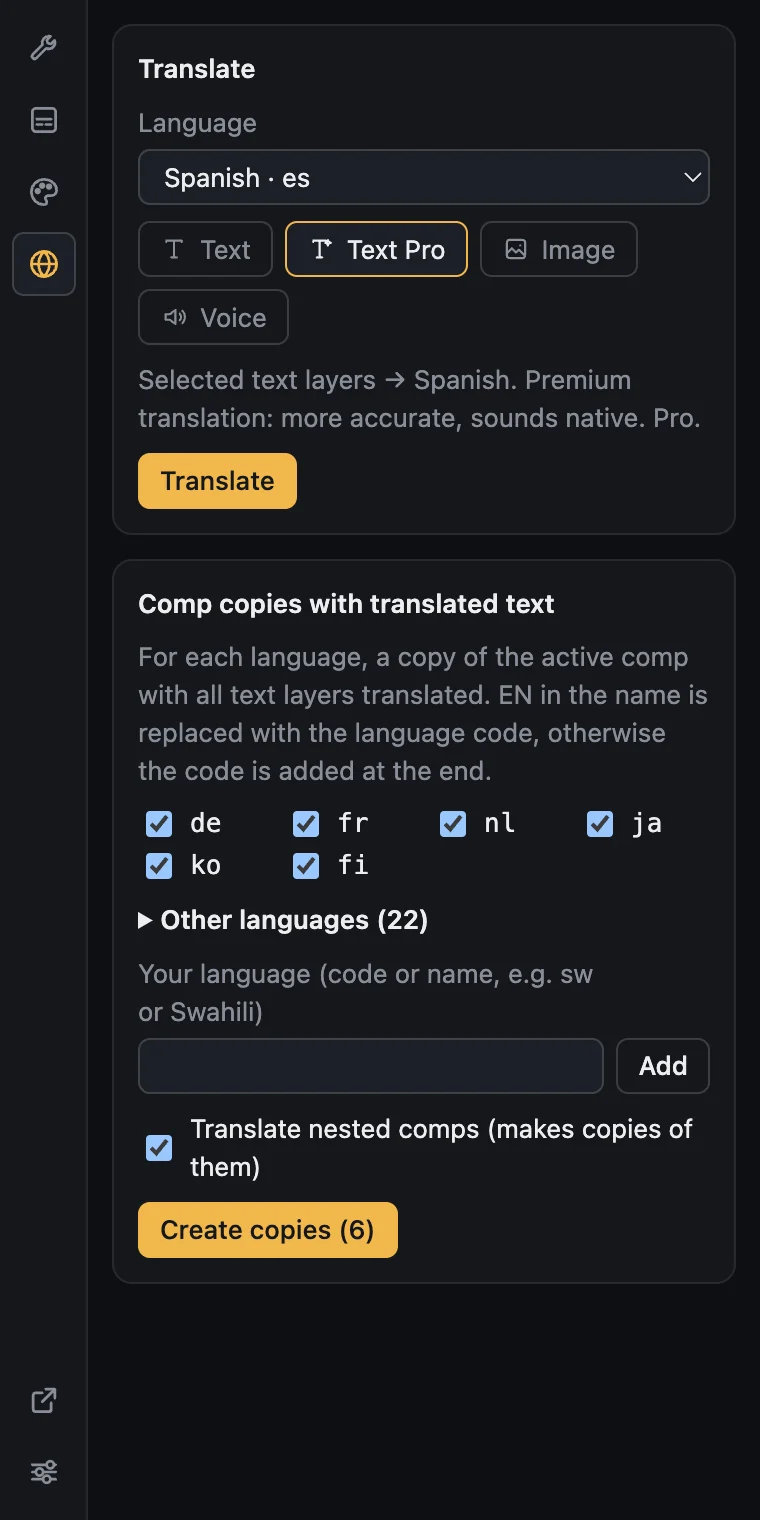
Translate text, images and voice
Pick a language: the panel translates text layers, redraws the text on banners and re-dubs the voiceover in the speaker's own voice. Or, in one click, makes copies of the comp for several languages.
- Text and Text Pro — line breaks and CAPS stay
- Text on images — the design stays the same
- Voice dubbing in the speaker's own voice, up to 5 min

AI accents and emoji
AI reads your subtitles and picks the words viewers must catch: numbers, the benefit, the emotion. It adds a fitting emoji next to them. Everything lands as separate layers in After Effects, just like the words.
- Keywords picked by meaning, not by length
- Color emoji that look the same on Mac and Windows
- Works with every word-by-word style
Editing tools
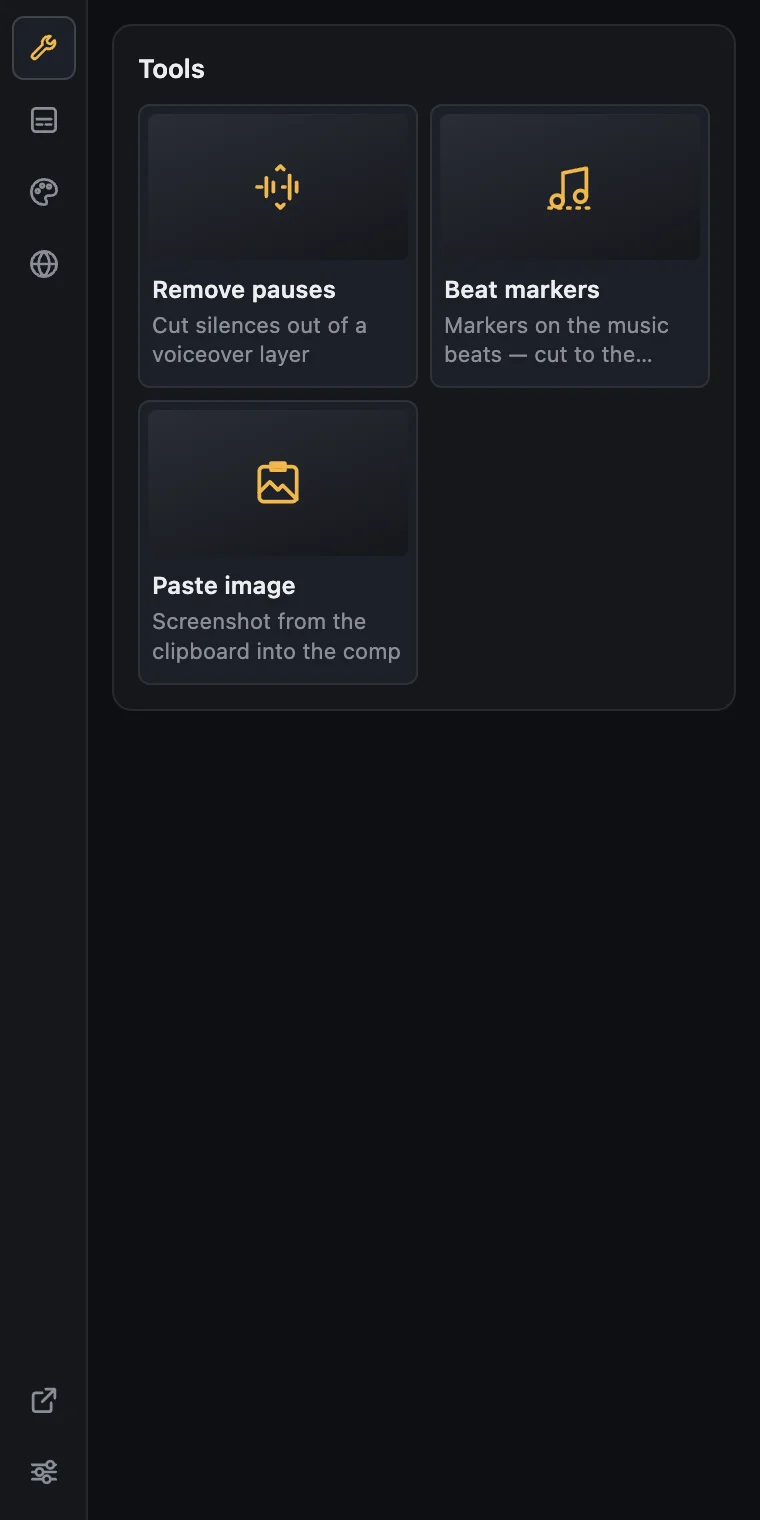
A separate panel tab for the small jobs that usually eat your time: one click and done.
Cut pauses
Removes silence from a voiceover layer, with an adjustable pause threshold.
Beat markers
Finds the beats in the music and drops markers so you can cut to the rhythm.
Paste a screenshot
Puts the image from your clipboard straight into the composition.
New tools arrive with panel updates.
How to install
- 1
Script: run or dock it
File → Scripts → Run Script File… and pick CTSubs.jsx. To dock it, copy the file to Scripts/ScriptUI Panels, restart AE and open Window → CTSubs.jsx.
- 2
Pro: install the .zxp
Install CTSubs.zxp with a ZXP installer (for example aescripts ZXP Installer), restart After Effects and open Window → Extensions → CT Subs.
- 3
Pro: sign in
In the panel’s Settings press Sign in and confirm the code in the browser that opens.
Frequently Asked Questions
Is the script really free?
Yes. It works offline on macOS and Windows. You only need an AE Subs file, which our transcriber makes for free in your browser.
What does Pro add?
Transcription right inside After Effects, animated word-by-word styles, AI accents with emoji, editing lines before building, translating text layers and the text on images, dubbing the voice in the speaker's own voice, plus tools: cutting pauses, beat markers and pasting a screenshot from the clipboard.
How do I install Pro?
Install CTSubs.zxp with a ZXP installer (for example aescripts ZXP Installer), restart After Effects and open Window → Extensions → CT Subs. Then sign in with your account in Settings.
Where does my audio go?
The script never sends anything. Pro sends a compressed copy of the audio to our server for transcription; it is processed in memory and not stored.